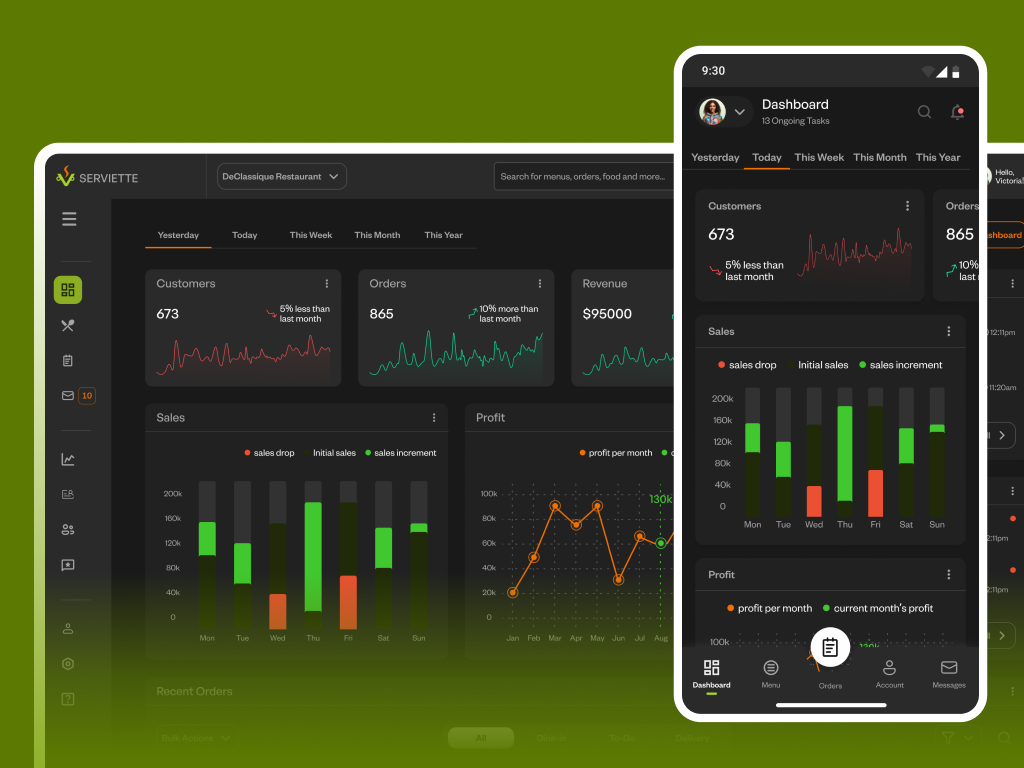
This product was designed to help a restaurant efficiently handle customer orders, manage staff/sale activity, and control other machineries key to the survival and smooth daily running of the business.


UX Case Study
Serviette Order Management System UI Design
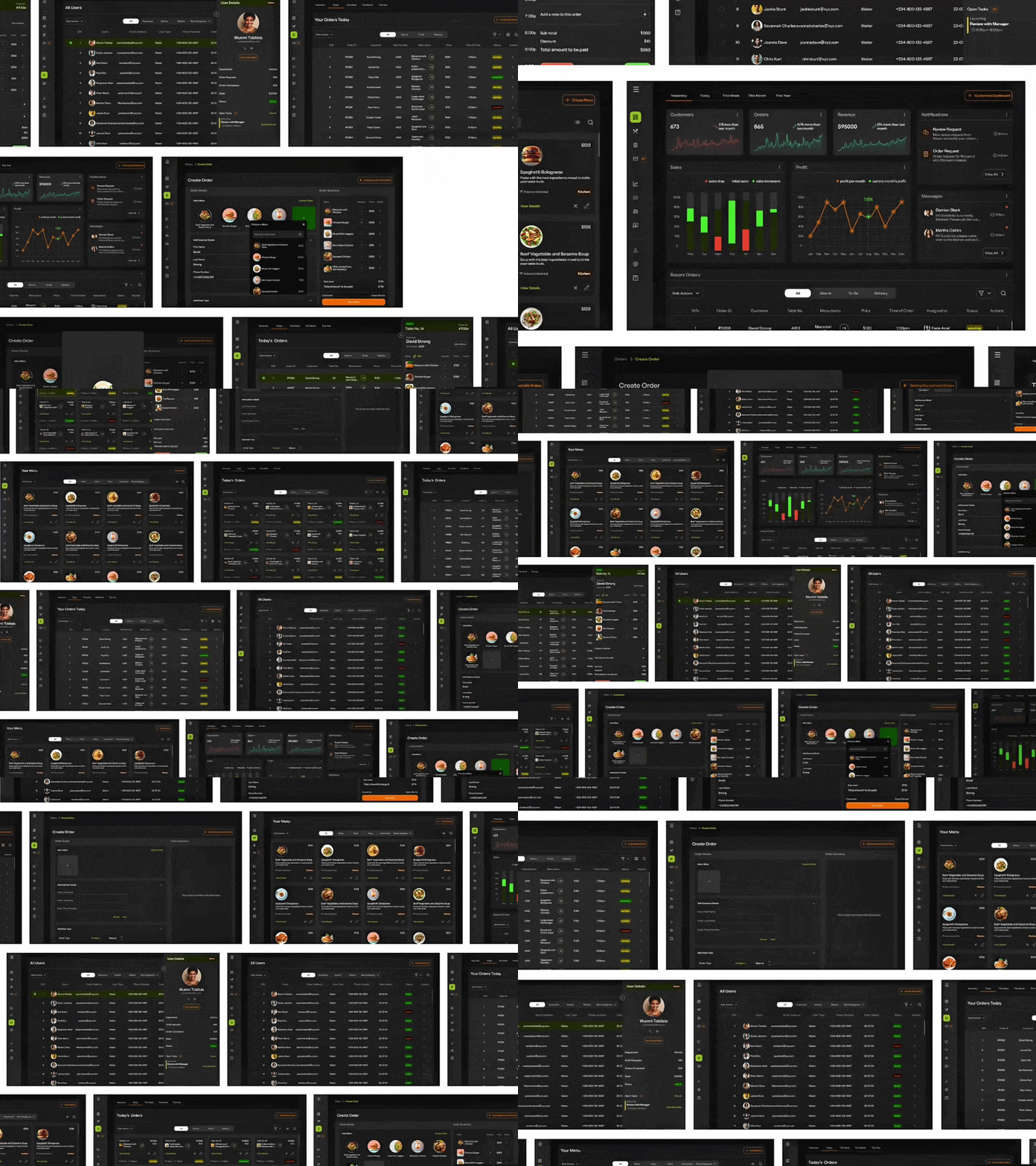
YEAR
2025
ROLE
UI Designer
UX Researcher
SKILLS DELIVERED
Prototype Design
Interaction Design
Usability Testing
FIRST STEPS
Adopting Lean UX Strategies
Introduction
In 2025, one of the most pressing problems that businesses face, is how to optimize their processes and deliver stellar services to their customers using technology.
In the food industry, restaurants are faced with limited options of technological products and systems that could help them handle customer orders (Dine-in, To Go, Delivery) as well as control the inner-workings of their businesses like staff management, book-keeping, inventory management, stock monitoring and financials.
To tackle this problem, it was imperative to design a product for restaurants and their customers, where each user could play their roles satisfactorily in a simple and functional interface.
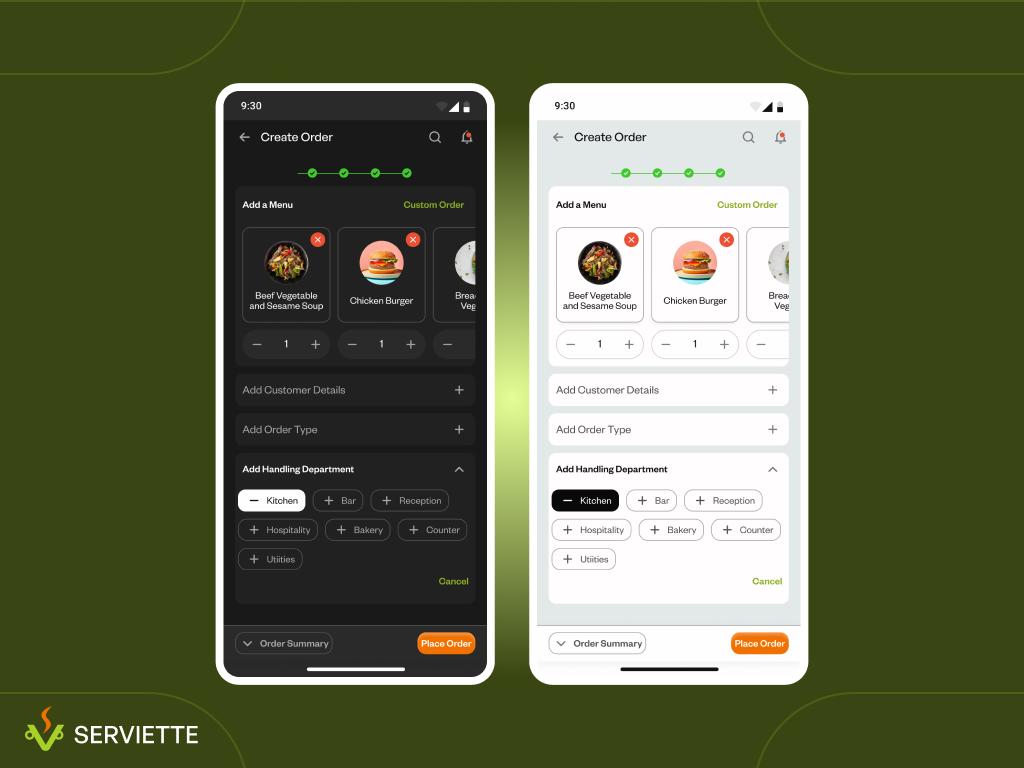
Serviette Mobile at a glance showing dark and light modes.
Starting from Existing Data and Research
The timeframe for this project was short, so in order to avoid compromising on user experience, I decided to adopt Lean UX strategies.
To do this, I started with secondary research from two similar systems: Shopify and QuickBooks, using Capterra: where I got public user reviews that gave me quick insights into the existing pain points and must-have features of order management systems.
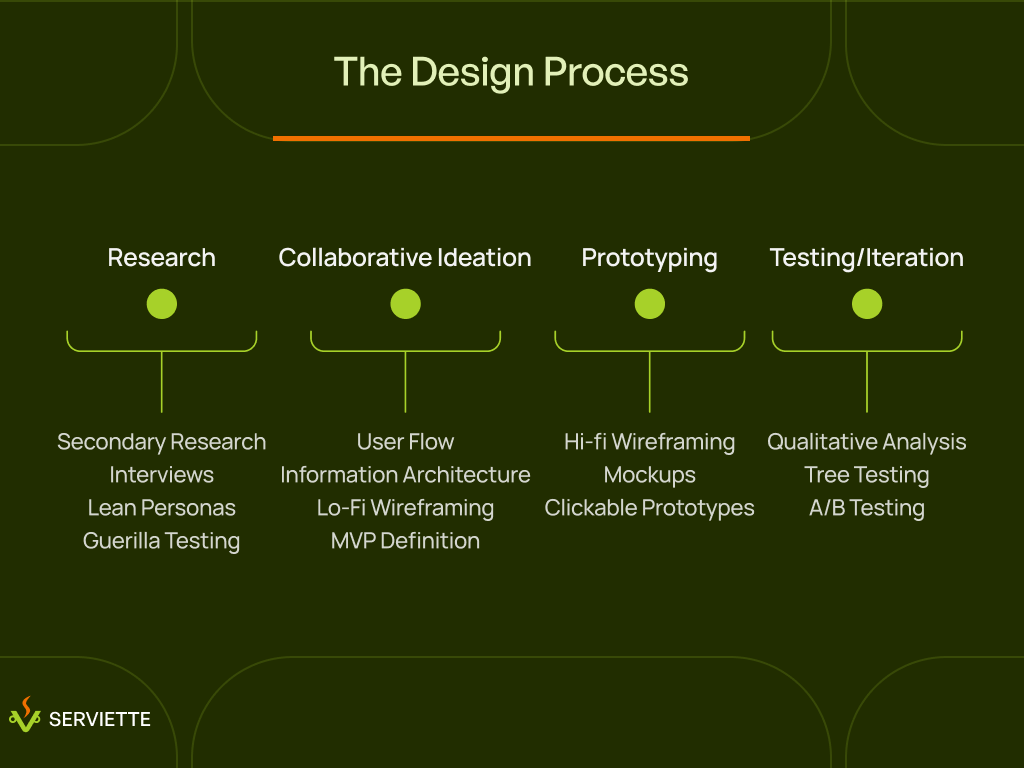
The process we followed to ensure that designing the Serviette Order Management System was both functional and user-centric for both the business and their customers.
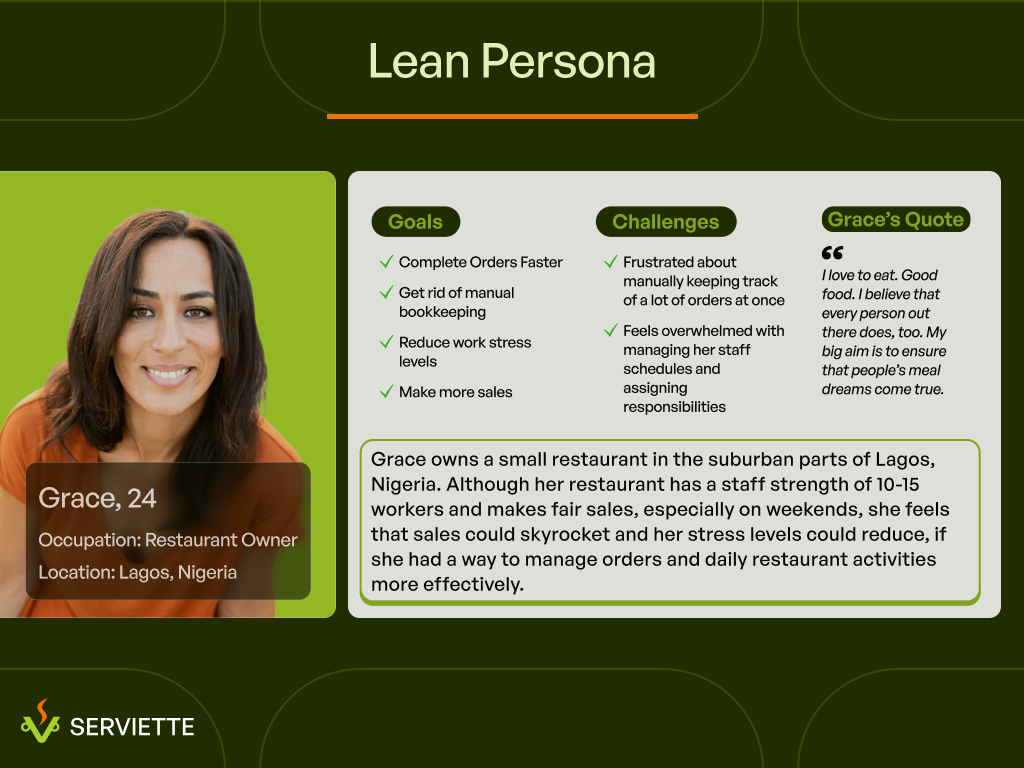
Crafting Lightweight Lean Personas
I kicked-off my process by conducting user interviews with stakeholders, restaurant managers and chefs to get quality insights on the must-haves of a good order management system.
Armed with this data from secondary research and interviews with experts, I created simple, lightweight personas for the primary user groups (waitstaff, kitchen staff, managers) focusing on core motivations, pain points, and needs rather than deep psychographic details.
These lean personas allowed me and the team stay focused on main users of the product throughout the design process, even without full user research.
Lean Persona showing user goals and challenges. This persona helped center our focus on the user, irrespective of time constraints.
IDEATION
Defining Problems and Ideating Solutions
Contextual Enquiries
To get a realistic view of the problems to solve, I visited a couple of restaurants to observe how their waitstaff handled customer interactions, which provided insights on how to design features that fit into real-world context.
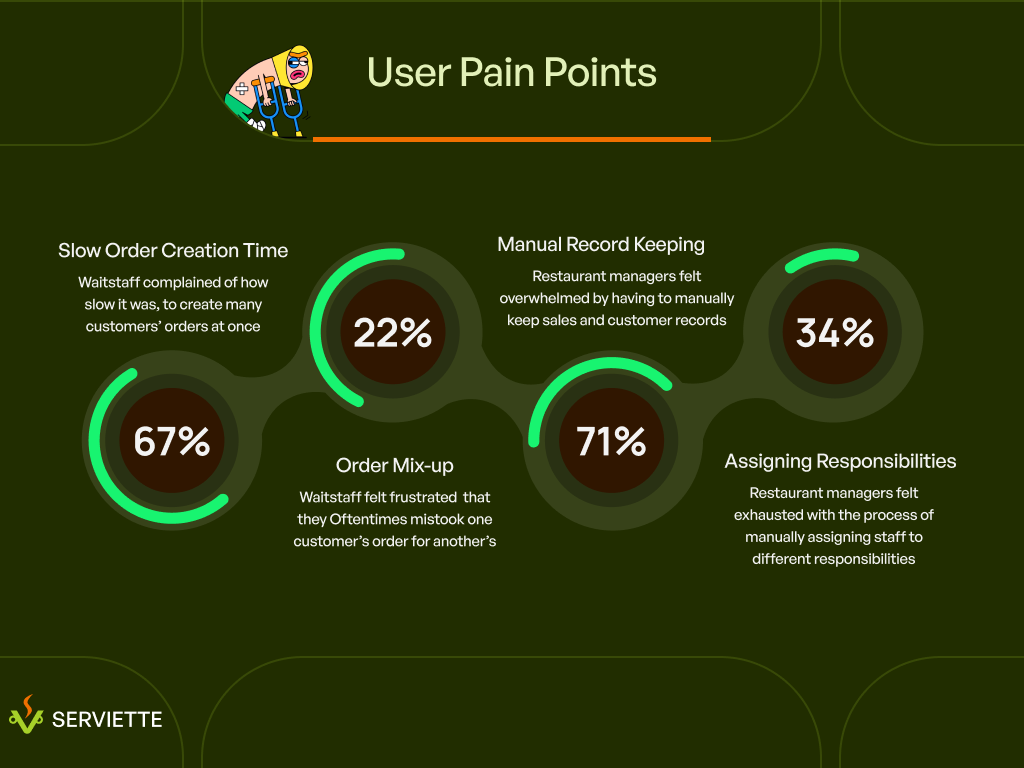
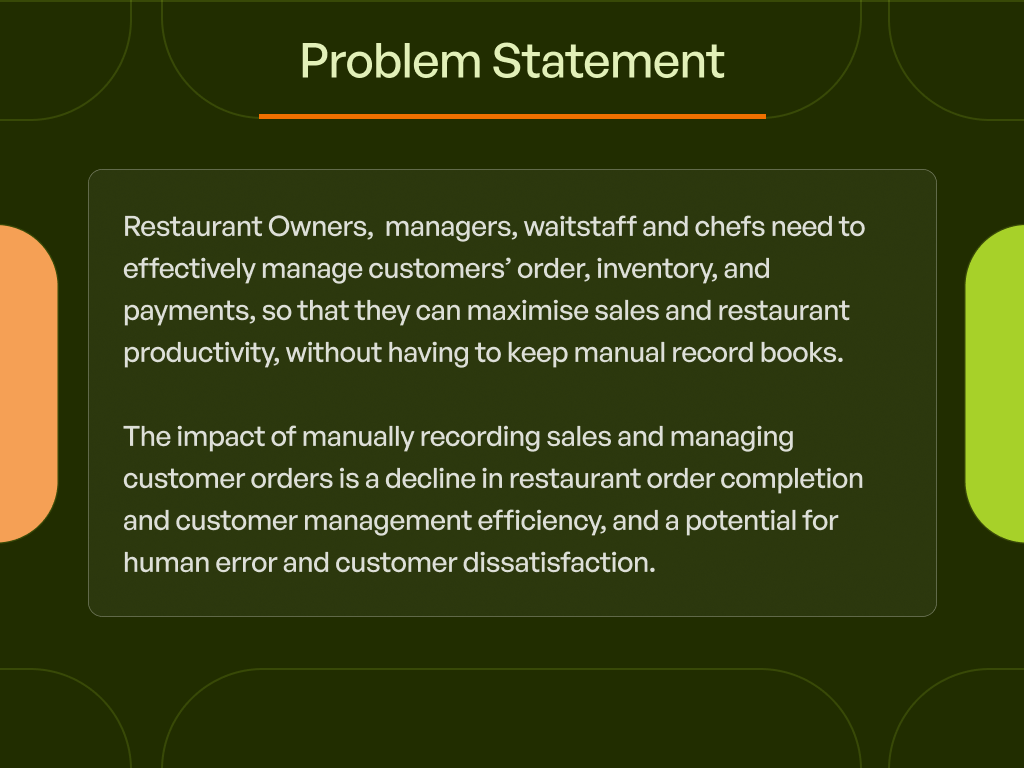
Defining the users’ problems
Using feedback from experts and observations from field research (contextual enquiries), the next step was to get a full scope of who our solutions were targeted at, what their problems were and why it was important to solve those problems.
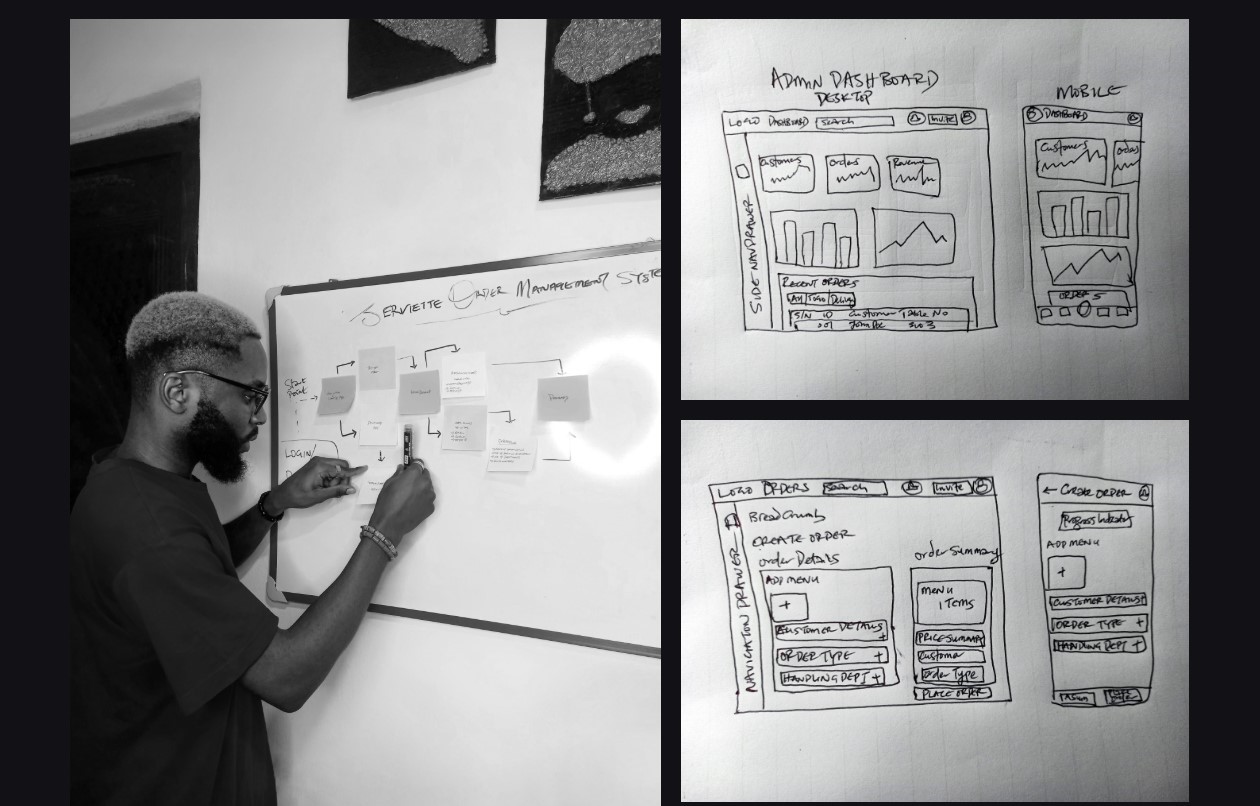
Bringing the team together to ideate in a Design Studio
At this point, it was important to bring the design team together, for a Design Studio session. In this session, everyone sketched their ideas and solutions on paper.
Doing this helped us think up different ideas quickly and put the team on our feet to consider users’ needs before designing a solution.
Snapshot showing moodboard and early low-fidelity wireframes crafted during Ideation.
THE DESIGN PROCESS
Creating Simple & Functional Interfaces
High Fidelity Wireframing
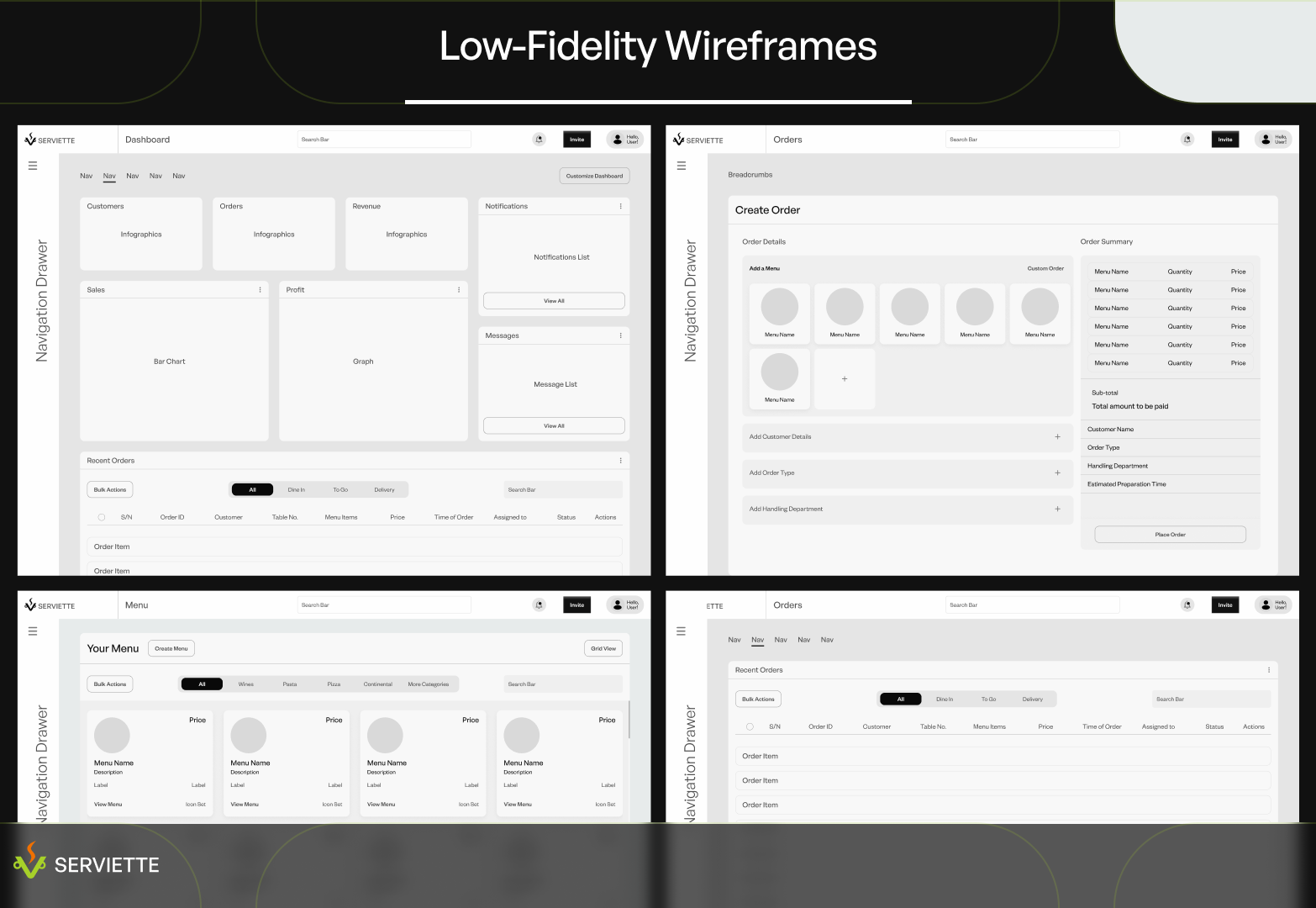
Having gotten a big picture of what to design and how to design it, we swung into action and built low-fidelity wireframes of the main pages of the UI: User/Admin Dashboards, Orders, Menu, Favorites, User/Admin Profiles, User Management & Settings Pages, amongst others.
Lo-fi wireframes of some main pages of the serviette web app interface.
Guerilla Testing with Small User Group
As soon as the low-fidelity wireframes were completed, we tested the layout and structure with some restaurant staff and managers and collected valuable feedback. Testers loved the structure and also gave helpful feedback about the hierarchy of sections on the Dashboard, which was used to further refine the wireframes, until an acceptable structure was gotten.
Designing High-Fidelity Mockups
High fidelity wireframes were further refined into mockups in two modes: dark and light modes.
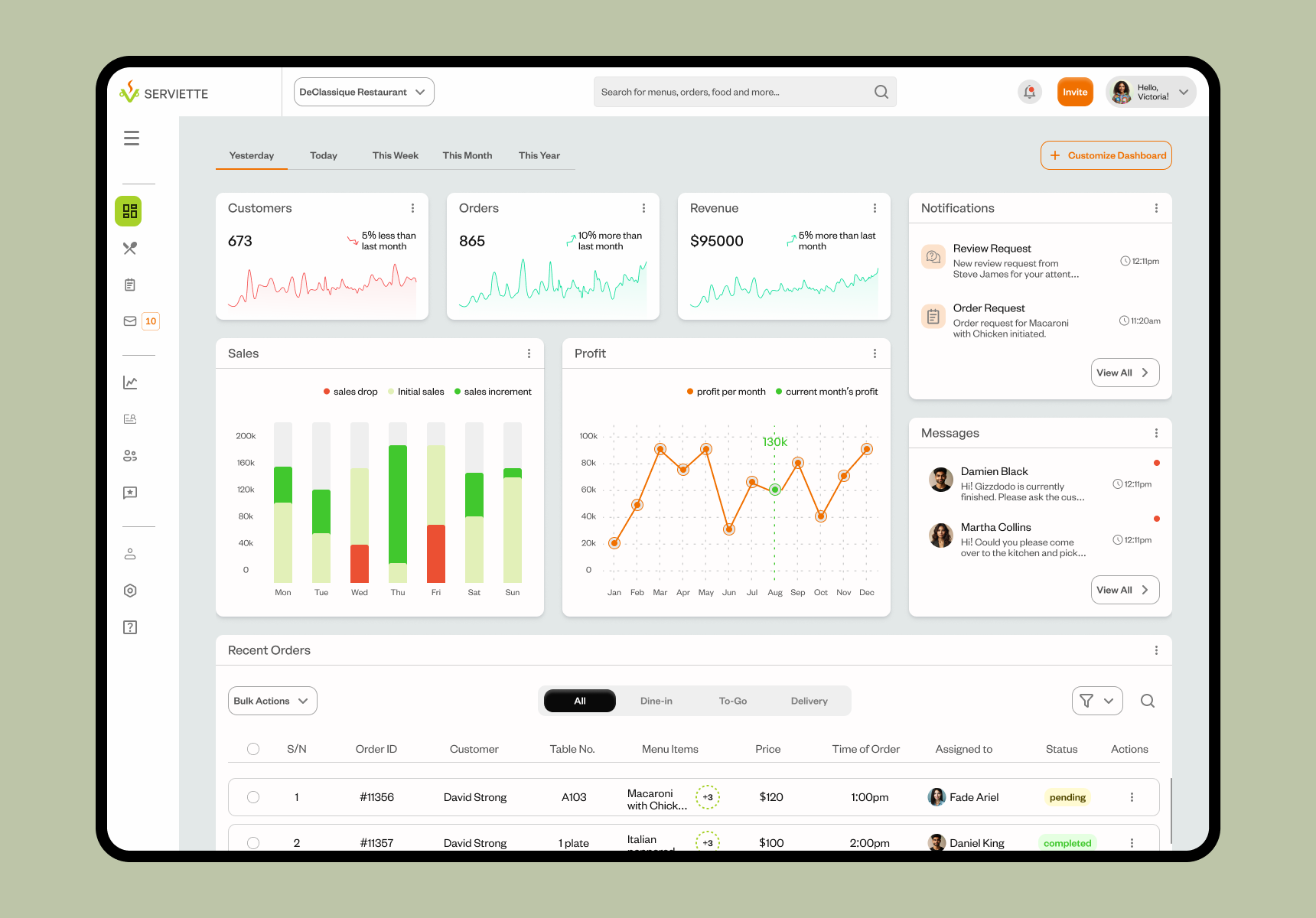
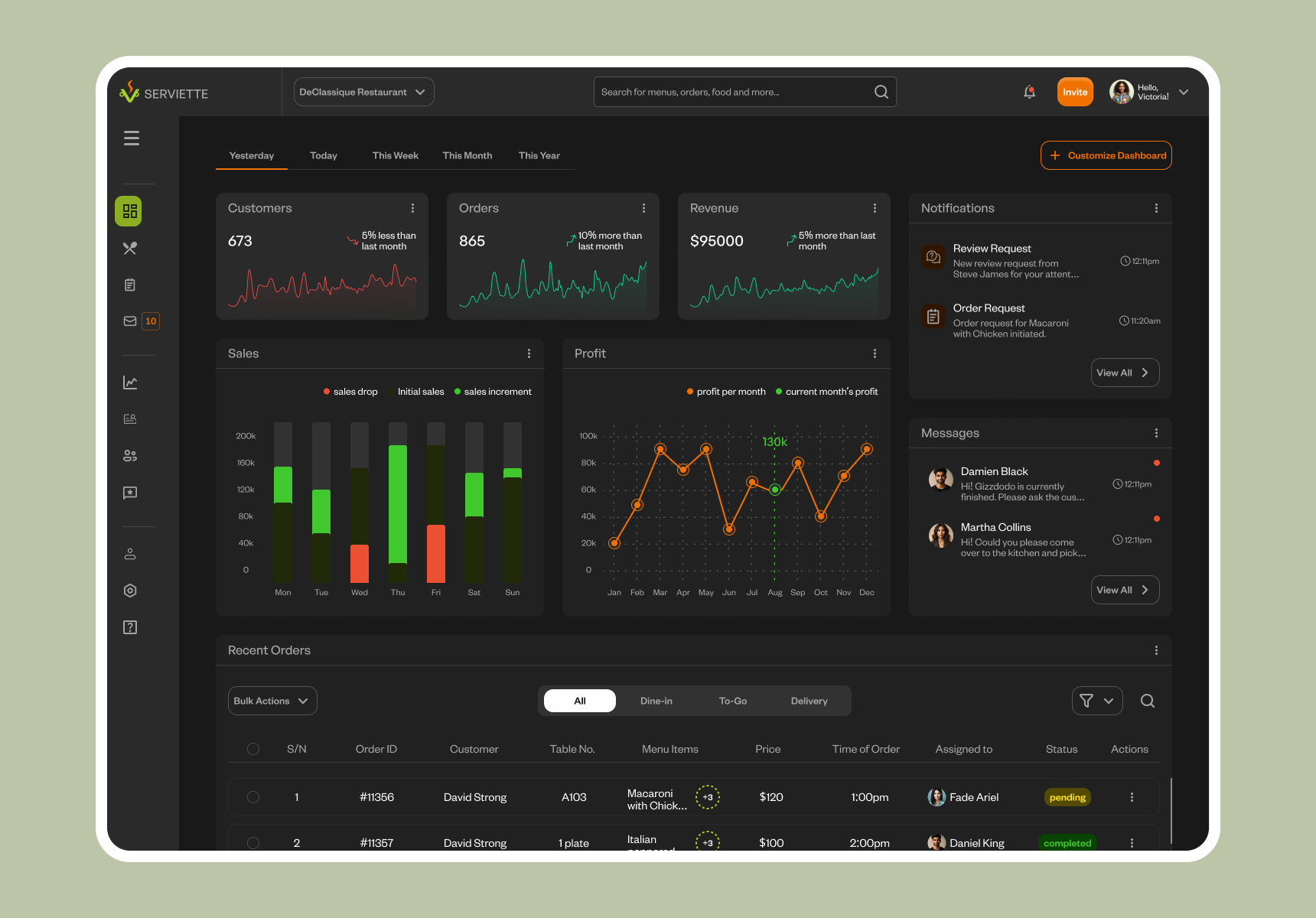
High-fidelity prototyping
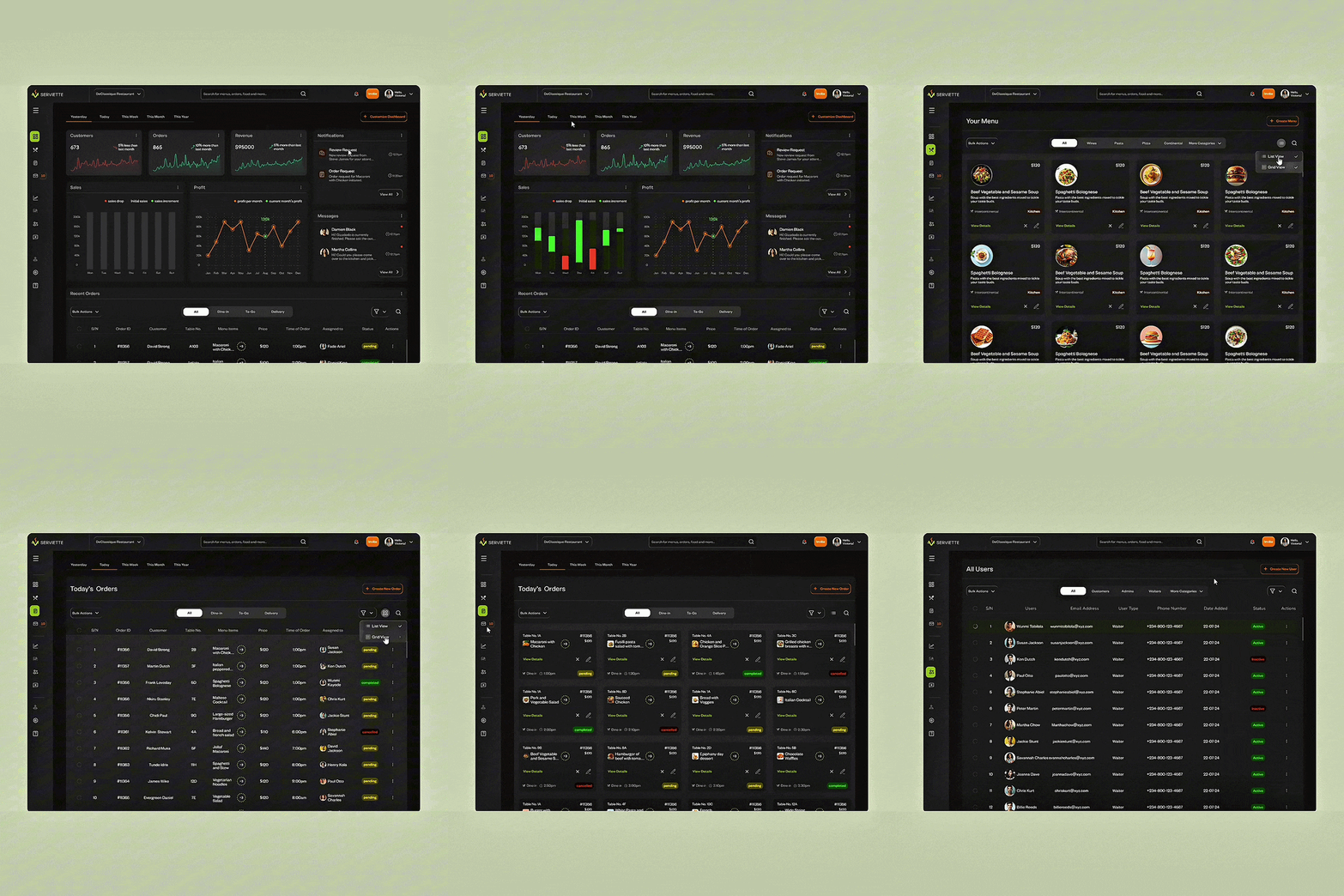
Prototyping was the next step, and using previous feedback from research, we created a user flow that was simple and straightforward, allowing users to move through pages and complete tasks in the simplest and minimal number of steps.
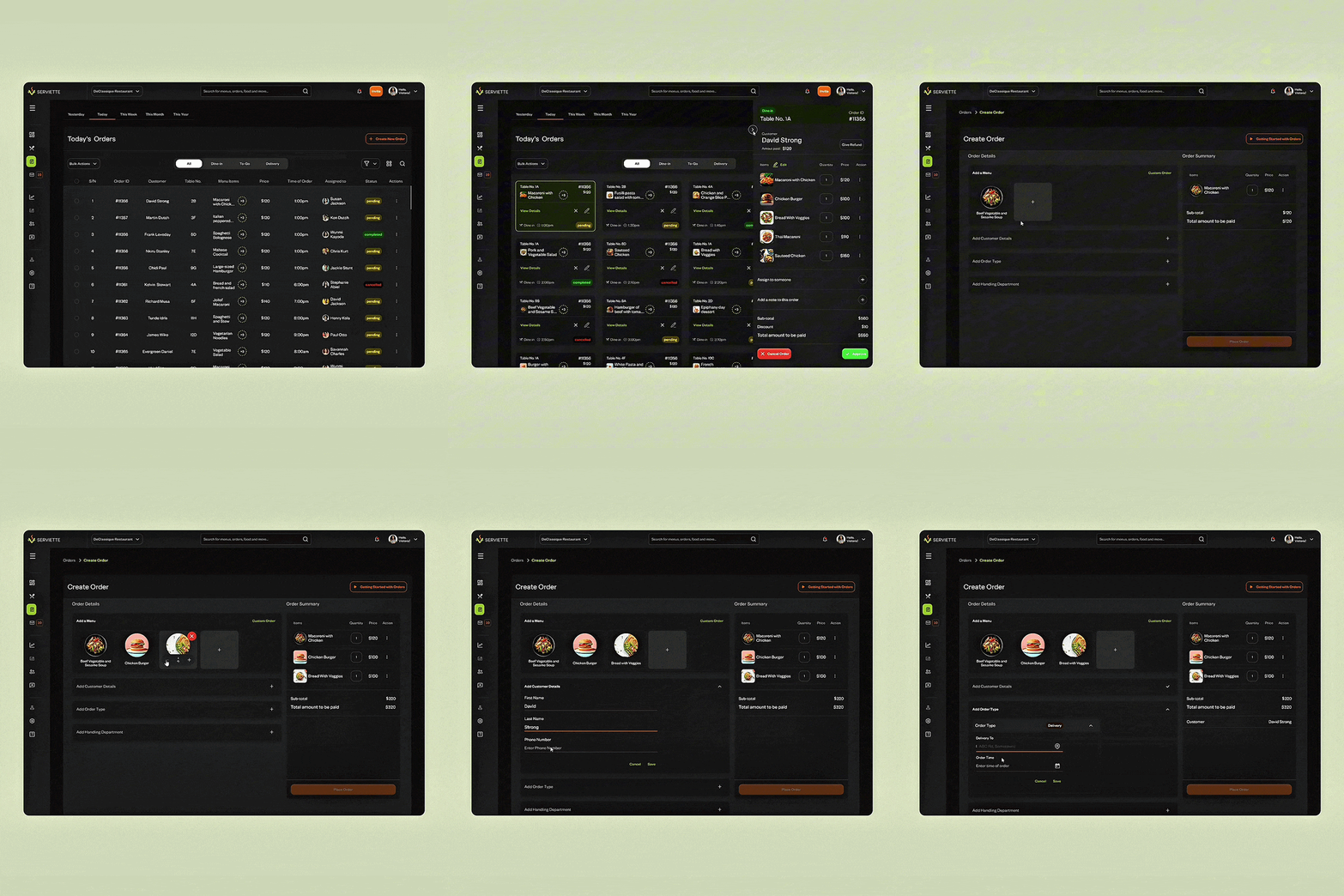
Serviette for Mobile
To avoid the exclusion of users who would be using their phones to log in and complete tasks on the Serviette OMS, I designed mobile interfaces. This was important especially for customers and waitstaff who would most likely be moving around a lot while interacting with the app.
Creating an order interaction using the Serviette Mobile App. The mobile interface was designed with a simplistic approach to ensure that users enjoyed using the mobile app as much as they did the web app.
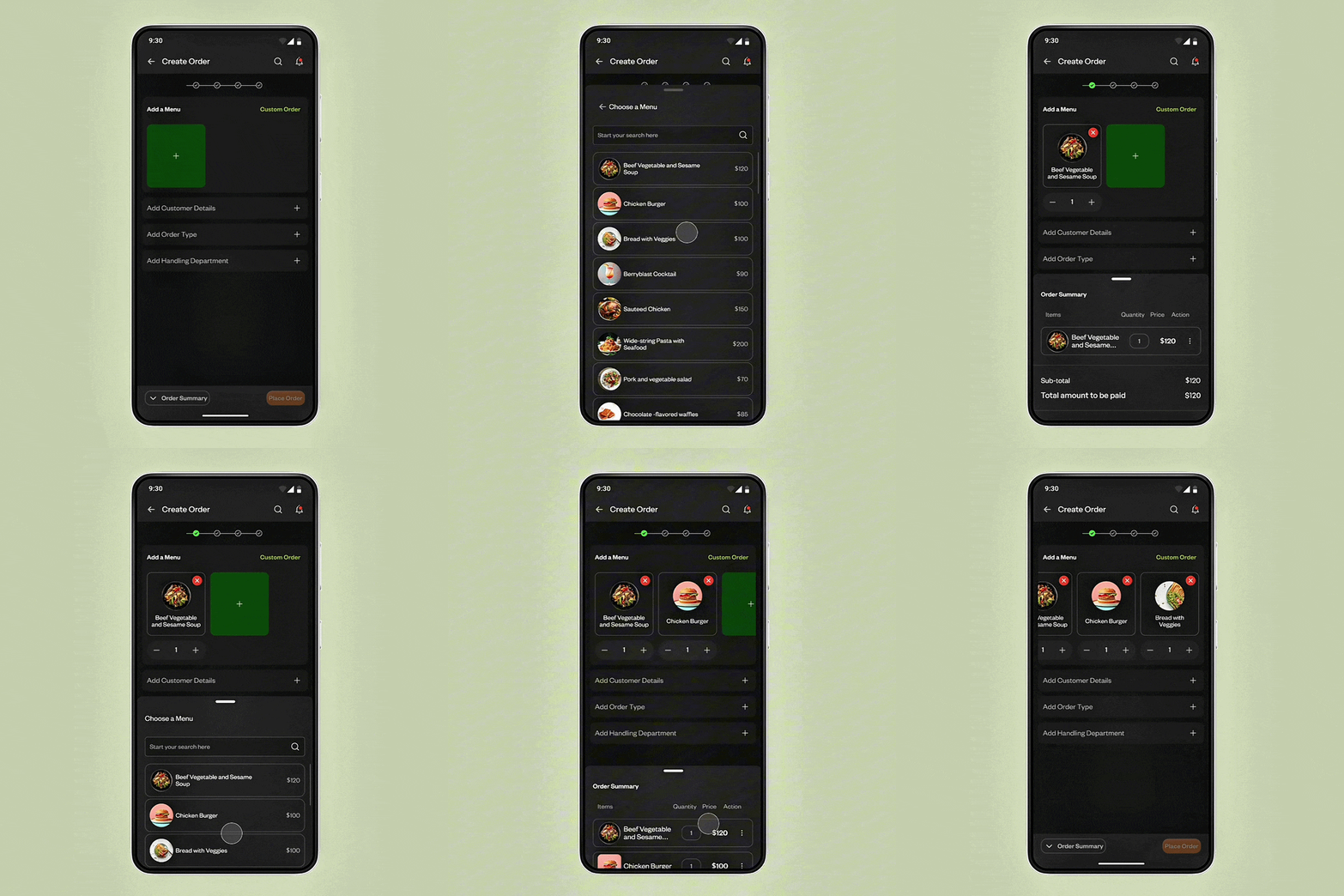
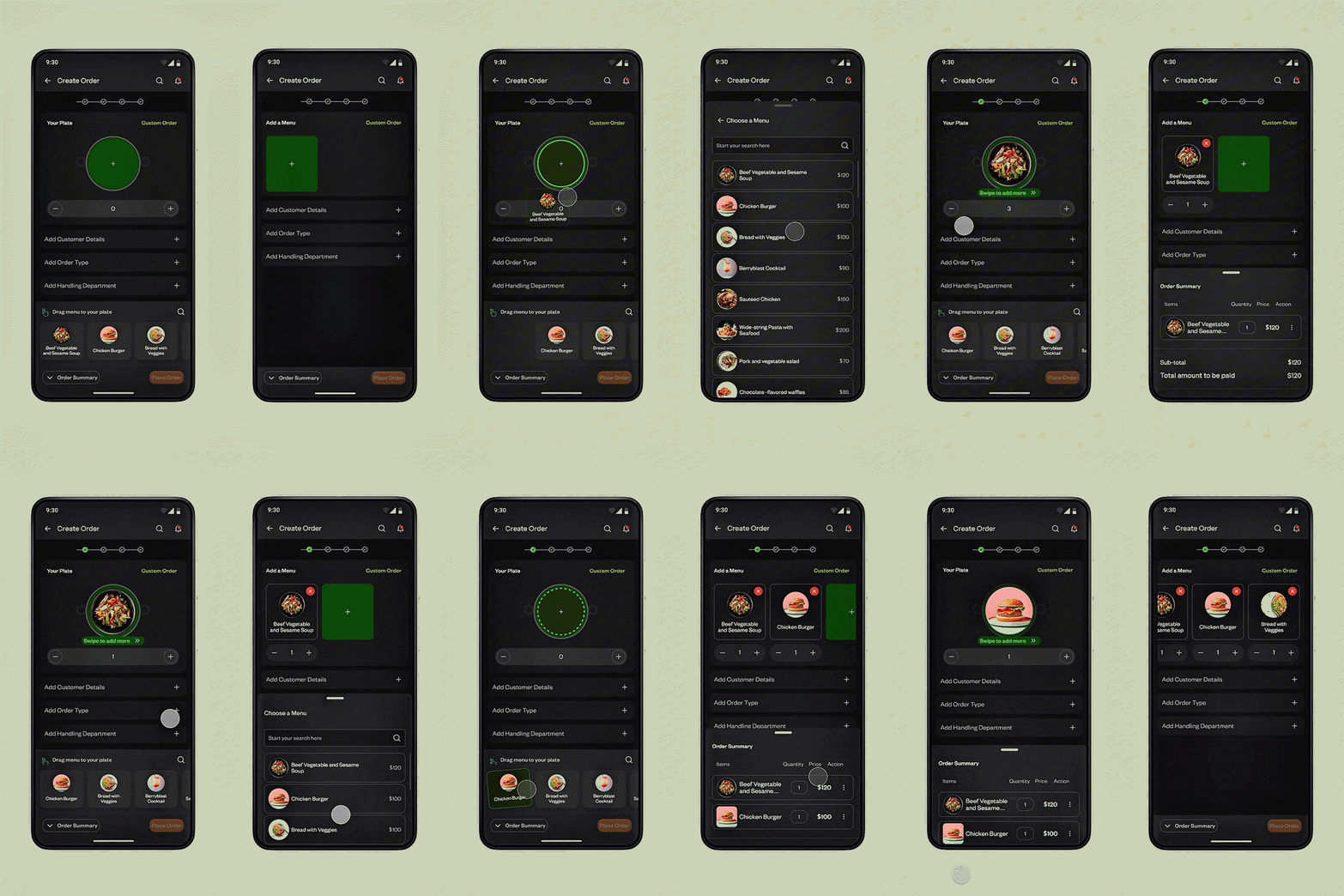
A&B Testing of Mobile Interactions for Creating an Order
During the design and prototyping of the mobile interfaces, I ran into a little problem of choice. While a user created an order, should they drag and drop a menu to a virtual plate, or should they simply tap a menu to add it to their order?
To test these two interactions, I conducted A&B tests with a different set of participants and at the end of this exercise, a greater percentage of these testers preferred to tap a menu to add it to their order.
A&B Test showing ‘Drag and Drop’ and ‘Tap to Add’ interactions.
RESULTS
Outcomes & Impact
Dealing with Constraints
Restaurants come in all shapes and sizes. And so does restaurant inventory…from small cafes with few items to large ones with complex menus.
We wanted the OMS to scale up and down to adapt to different restaurant’s needs. To deal with this, we introduced features for menu customization and flexible user flows to adapt to different restaurant workflow complexity levels.
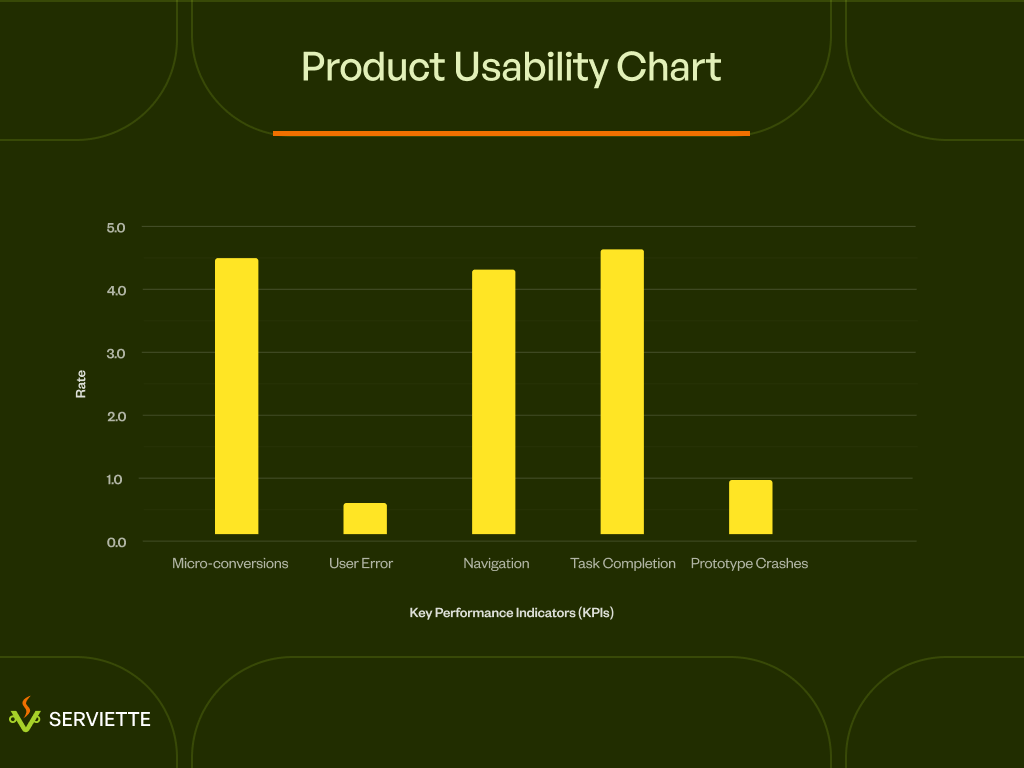
Usability Testing & Feedback
During usability testing, 91% of test participants gave positive feedback about the user interfaces of the Serviette OMS and were excited about adopting the app in their Restaurants.
Product Usability Chart showing how users interacted with the prototypes during usability testing.
WHERE DO WE GO FROM HERE?
Next Steps
Create an AI-powered Order Management Assistant
During the design of the Serviette order management system, integrating an AI-powered order management assistant to help both waitstaff and customers create and manage orders, was skipped due to time constraints.
A next step for this product would be to design and build an AI assistant and agent that would help make the process of completing tasks on the app easier and faster.